Automations
Automate your Git workflows, streamline repetitive tasks, and create intelligent triggers to enhance your development process.
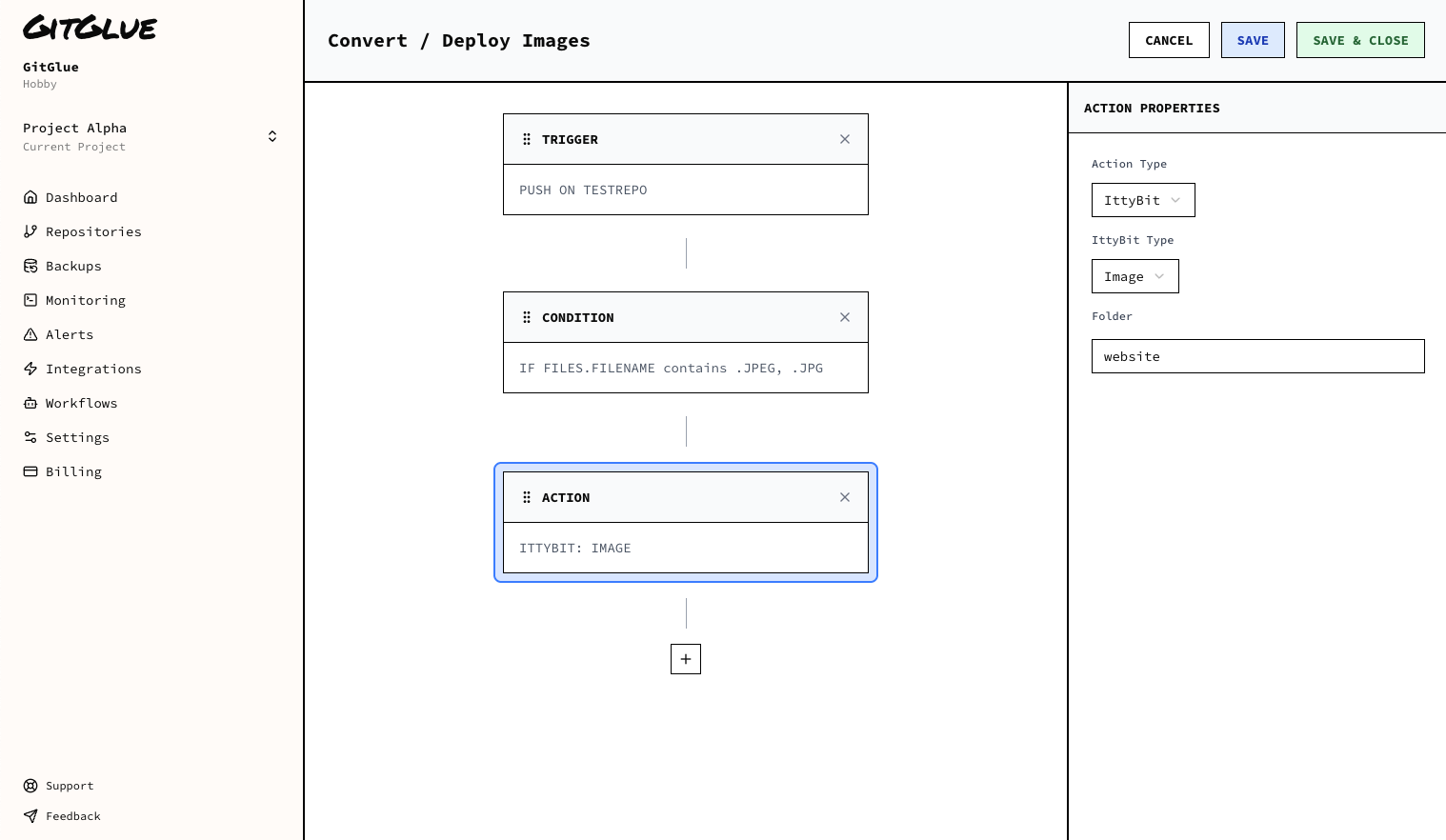
Workflow Actions
Create custom workflows that automatically trigger based on Git events and repository changes.
- • Push-triggered automations
- • Pull request workflows
- • Integration with other services
Deployment
Deploy your code to your servers or other services.
- • Deploy to your servers
- • Deploy to your services
- • Deploy to your other services
Branch Management
Automate branch creation, merging, and cleanup operations to maintain a clean repository structure.
- • Auto-branch creation
- • Smart merge strategies
- • Stale branch cleanup
- • Branch naming conventions
Notification Automation
Automatically notify team members about important events and changes in your repositories.
- • Slack notifications
- • Email alerts
- • Status updates
- • Custom webhooks
Automation Types
Event-Driven
Automations that trigger based on specific Git events like pushes, pulls, or merges.
Conditional
Smart automations that only execute when certain conditions are met or thresholds are reached.
Automation Features
Visual Workflow Builder
Create complex automation workflows using our intuitive drag-and-drop interface.
Execution History
Track and monitor the execution of your automations with detailed logs and analytics.
Getting Started with Automations
1. Choose Automation Type
Select the type of automation you want to create: event-driven, time-based, or conditional.
2. Configure Triggers
Set up the conditions that will trigger your automation, such as specific Git events or schedules.
3. Define Actions
Specify what actions should be performed when the automation is triggered.